Showing posts with label Air View. Show all posts

Samsung GALAXY Mega Combines Portability, Convenience and the Ultimate Viewing Experience All in One Device

| |
Hi Huneybees,
Samsung Electronics Co., Ltd, a global leader in digital media and digital convergence technologies, announced the launch of the Samsung GALAXY Mega yesterday at their store in Paragon. 


Left: GALAXY Mega 6.3 (Black)
Right: GALAXY Mega 5.8 (White)

The Samsung GALAXY Mega is a device that combines the portability and convenience of a smartphone with the power, multitasking capabilities and extensive viewing experience of a tablet. Packed with expansive screens, the GALAXY Mega comes in two versions – 6.3 inches and 5.8 inches – both running on the latest Android 4.2 Jelly Bean.
“Samsung aims to provide consumers with technology that enables them to discover a world of possibilities. Acknowledging the great potential in bigger screens for extensive multimedia viewing, web browsing and more, Samsung is excited to provide yet another choice to meet the varying needs of our consumers who live different lifestyles while maintaining the high-quality features of the award-winning GALAXY series” --- Irene Ng, Vice President, Marketing, Samsung Asia Pte Ltd.
Best of Both Worlds
The GALAXY Mega is an ideal choice for users who want to get the most out of one device that brings great quality at an even greater value. With a 6.3-inch HD LCD screen, supported by landscape mode, the GALAXY Mega enables an exceptional widescreen view for various applications including web browsing, video, and social networking sites.


See how MEGA the smartphone is...
The GALAXY Mega provides an optimal viewing experience, yet ensures that it remains ultra-thin and portable enough to put into a pocket or hold in one hand. Users can stay connected with a variety of new phone features including:
  • ‘Group Play’: Users can enjoy music, play games, share pictures and documents with those around them without the need for a Wi-Fi AP or cellular signal
  • Samsung WatchON: Transforms your device into an IR remote controller for a richer TV experience; connects to a home entertainment system, and provides programme recommendations and schedules
  • Samsung Link: Easily streams photos, videos, notes, or music to a television, tablet or computer
  • S Translator: Provides instant translation, using text or voice translation on applications including email, and ChatON
  • ChatON: Provides easy instant messaging and group chatting. Allows users to share what is on their screen with friends to stay more connected
Productivity and Multimedia for the Multi-Tasker
Offering an effortless user experience and an increased usability of the widescreen mode, GALAXY Mega users have the opportunity to do so much more. Split screen capability for a variety of applications such as email, messages, ‘MyFiles’, ‘S Memo’ and ‘S Planner’, makes for increased efficiency. Multi Window allows true multitasking experience between two apps. With the popular ‘Air View’ feature, customers can preview information in emails, photos in Gallery, and speed dial contacts.
Equipped with an enhanced 8-megapixel rear-facing camera and a 1.9 megapixel front-facing camera, the GALAXY Mega features a variety of camera modes including ‘Sound & Shot’ (captures nine seconds of sound and voice together as the picture is taken to capture moments), ‘Rich tone (HDR),’ and ‘Sports’ just to name a few. The device also packs various newly-introduced features for endless entertainment, including:
  • ‘S Travel: Provides trip information, local guides and resources and more
  • ‘Story Album: Allows users to create albums of daily events, keep special moments in one place using a timeline, geo-tag information and publish digital albums in hard copy
A comparison of the GALAXY Mega 6.3, GALAXY Mega 5.8 and GALAXY S4

The GALAXY Mega has a built-in Dual Core Processor and spacious internal storage, along with up to 64GB of expandable memory to store music, videos, photos and more.
The GALAXY Mega will be available in Singapore at the following prices:
  • GALAXY Mega 6.3 (Black and White): $798 available from June 8
  • GALAXY Mega 5.8 (Black and White):  $598 available from June 15


Photobucket
Read More

Samsung GALAXY Note 8.0 Is Coming To Singapore

| |
Hi Huneybees,


Samsung announced the GALAXY Note 8.0 on 10 May 2013, introducing a new era of intelligent Note technology set to re-ignite the mid-size tablet category that Samsung established in 2010.

Providing unrivalled multimedia performance within a compact one-hand-grip screen, the GALAXY Note 8.0 has the power and advanced technology to evolve the tablet experience and ensure you achieve new levels of efficient multi-tasking while benefitting from superb voice call functionality. Furthermore, the intelligent S Pen brings together the latest innovation and the ease of using a traditional pen and paper; creating a sophisticated mobile experience that will enhance life on the go.
Here's an interesting review of the Note 8.0 I found online...

At the core of the GALAXY Note 8.0’s innovative solutions are beneficial functions, including Multi Window to split the portable 8 inch screen and allow true multitasking experience between two apps; a new generation of Samsung’s intelligent S Pen with advanced usability; access to a suite of S Note templates and tools that allow you to create, edit, manage and share everyday documents. The Reading Mode feature transforms the GALAXY Note 8.0 into an e-Book reader, by optimising the display brightness, colour temperature and contrast ratio for ideal reading conditions without straining your eyes. The LTE version of the GALAXY Note 8.0 also enables voice calls.

A smart diary for life on the go
Slim and compact to become the perfect on-the-go work and play companion, the GALAXY Note 8.0 brings powerful performance and functionality to support even the most demanding of lifestyles. Designed to store and manage your personal and professional data efficiently, the new device gives users the perfect pocket-sized hands-on organisational tool. Practical S Note templates and S Planner feature help to manage everyday tasks, including meeting notes, to-do lists and even personal diary entries. All content can be entered and updated with the finest of detail, thanks to the evolution of the intelligent Samsung S Pen. Enhanced precision is offered with Handwriting-to-Text conversion and advanced Productivity Tools that support formula and shape recognition are now available at the touch of your S Pen. Pop Up Note allows you to access S Note at any time to take notes while on a phone call.
New content and services
GALAXY Note 8.0 is packed with a suite of exciting pre-loaded content and apps specifically for the value maximising, mass multimedia consumer at no additional cost including, for the very first time on Samsung GALAXY tablet, the innovative Flipboard, and Awesome Note HD, an integrated application capable of unlimited note-taking uses including Memo, Diary and Must-remember lists. With a customised version of Flipboard, users can take the S Pen’s hover feature and preview article headers beneath Flipboard’s main screen tiles, and also have all news, social networks and other feeds come together in one stylish, flippable format.
Upgraded ChatON* provides easy instant messaging and group chatting in multiple formats –  images,  video,  voice,  contacts  –  for  simple, enjoyable communication. With Peel Smart Remote, you can even turn it into a universal remote to control TVs, set-up boxes, DVD & Blu-ray players.
Apps which will be preloaded on the GALAXY Note 8.0 include:
  • Club 21 – Access style and discover the latest trends featured in more than 200 brands, including a “What’s Nearby” feature exclusive on Android. A secure log-in allows Club 21 card members to access their accounts while on the go, to track their orders. New members can look to sign up to enjoy the full membership’s rewards and privileges
  • Herworld PLUS – Get the latest news, views and reviews on Fashion, Shopping, Beauty from Singapore’s go-to website for women
  • SPH Universal Android Smartphone App – Gain instant access to breaking stories, news updates,lifestyle and entertainment reports on this brand new app
  • TODAY – Gain access to the latest news articles and breaking news including a social media sharing function and video elements which are exclusive to Android
  • Catalog – Receive up-to-the-minute style and pop culture fix 24/7 and while on the go, enabled by CATALOG Magazine, the definitive shopping guide for consumers. Swipe, click and tap for insider fashion finds and scoops on the next big talents to watch wherever you are
  • Nylon – Satisfy craving for all things Korean with NYLON SINGAPORE’s on-the-go app, filled with specially curated content on the latest Korean fashion, beauty, music and food
  • Food &Travel – Check out the best food recommendations and locate the nearest restaurants around. Restaurants are segmented according to cuisine types and features the latest promotions and events, and get first-hand updates on Food & Travel’s happenings
  • Escape – Discover the best cities to visit at a glance and plan an itinerary easily with a list of options to Eat, Sleep, See and Play
  • The Work Files – Tailored for working professionals, this app provides tips on dressing, ideal places for business entertainment and tips for preparing homemade meals
A new age of S Pen intelligence
Optimised to aid personalised creativity, the Samsung S Pen has evolved to increase everyday usability and enhance creation expression. Embedded within the tablet, the S Pen is an extension of the GALAXY Note 8.0. The Page Buddy feature will suggest adapted menus that it thinks you will need when you remove the S  Pen  from  the  device.
S Pen technology is now so advanced that you can use the S Pen to control the physical menu/back buttons on the device with WACOM technology and with Air View, you only need to hover it over the screen to see previews of videos, emails, photos and appointments on  S Planner without opening the file or application in full. Easy Clip allows images and content to be cropped, whilst Paper Artist allows photos to be artistically personalised.
For further information, please visit www.samsung.com/sg

Pricing and Availability
The GALAXY Note 8.0 will be available in Singapore, from 25 May 2013 in White at the following prices:
  • GALAXY Note 8.0 With LTE: $788
  • GALAXY Note 8.0 WiFi: $588
Exclusive GALAXY Note 8.0 accessories will also be available:
Book cover: $68 (in white, dark gray, pink, lime green and garnet red)


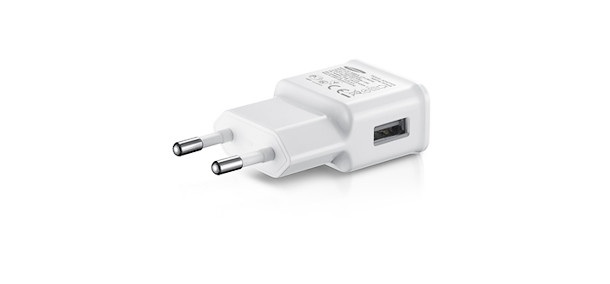
Travel adaptor ($38)
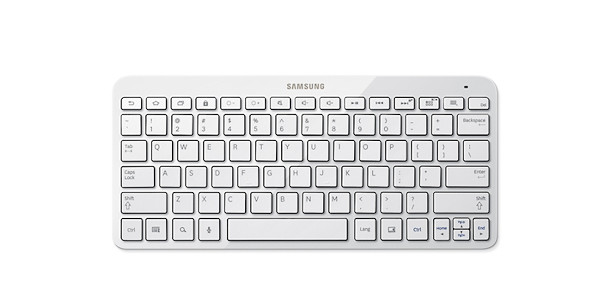
Bluetooth keyboard ($138)
GALAXY Note 8.0 Product Specifications
NetworkLTE  Band 3 (1800MHz)/ Band 7 (2600MHz)/ Band 8 (900MHz)/ Band 20 (800MHz)3.5G (HSPA+ up to 42.2Mbps)3G (850/ 900/ 1900/ 2100MHz)EDGE/ GPRS Class 12,
GSM Quad Band (850/ 900/ 1800/ 1900 MHz)*Only applies to the LTE version
Processor
1.6GHz Quad Core Processor
Display
8” WXGA (1280×800, 189 ppi) TFT LCD
OS
Android 4.1.2 (Jellybean)
Camera
Main(Rear): 5 Megapixel CameraSub(Front): 1.3 Megapixel CameraCodec: 3gp, MPEG4, H.264 (720p @ 30fps)


Video
Codec: MPEG4, H.263,  H.264, WMV, DivX (1080p Full  HD  video  @30fps)
Audio
Codec: MP3, AAC, AAC+, eAAC+, WMA, AC3, FLAC, 3.5mm Ear Jack, Stereo Speaker
S Pen Optimized
Features
S Pen Experience- S Note, S Planner, Email with handwriting integration- Quick Command, Easy Clip, Photo Note, Paper Artist
Air View
Pop Up Note, Pop Up Play
Shape Match, Formula Match, Idea Sketch
Sharing FeaturesSamsung AllShareTM PlaySamsung AllShareTM Cast (WiFi Display) – Mirroring & ExtensionSamsung AllShareTMFramework


Content Features & Services
Samsung Apps
Samsung Kies / Samsung Kies Air
Samsung TouchWiz
Game HubLearning HubReaders Hub
Samsung ChatON mobile communication service (version 2.0)
Smart Stay
Page Buddy/ Tag Buddy
Google SearchTM, Google MapsTM, GmailTM, Google LocalTM,Google PlayTM, Google Play MusicTM,Google+TM, Google+ MessengerTM, YouTubeTM, Google TalkTM
Awesome Note HD
Flipboard
            GPS
A-GPS + GLONASS
       ConnectivityWi-Fi 802.11 a/b/g/n (2.4 & 5GHz), Wi-Fi Direct, AllShareTMCast, BluetoothTM 4.0, USB2.0, MHL 2.0
       Sensor
Accelerometer, Proximity, Geomagnetic, Light Sensor
           Memory2GB (RAM), 16GBmicroSD (up to 64GB)
        Dimension210.8 X 135.9 X 7.95mm, 345g (LTE Version)210.8 X 135.9 X 7.95mm, 340g (WiFi Version)
             BatteryStandard battery, Li-ion 4,600mAh


Photobucket
Read More

Samsung Galaxy S4 is here!

| |
Hi Huneybees,


On 18th April, Samsung Electronics announced that GALAXY S4 With LTE will be available in Singapore from 27 April 2013, at $998, without contract, in Black Mist and White Frost. In celebration of this launch and for the perfect combination of style and technology, Samsung is also bringing exciting activities to consumers, as Presenting Sponsor of this year’s Samsung Fashion Steps Out (FSO) 2013.


At the trade and media launch event (held at Gardens By The Bay), I got to preview the capsule collections of renowned fashion designers – Ashley Isham and Joe Chia, a sneak peek to what you will be able to catch at the iconic Orchard Fashion Runway on 4 May 2013.


After a quick introduction as well as the announcement of Samsung GALAXY S4 With LTE by Mr Harry Lee, Managing Director, Samsung Asia Pte Ltd, I finally got the chance to get up close and personal with the smart phone.


Samsung GALAXY S4 in White Frost
 Samsung GALAXY S4 in Black Mist
Key highlights of the GALAXY S4 With LTE


  • Comes in a slimmer yet stronger design featuring the world’s first Full HD SUPER AMOLED display with an ultra sharp pixel density of 441 PPI, to present the best viewing experience for users, making it an ideal device for videos and images


    My favourite about the phone is that you can create a 'Dual Shot' picture, it's like creating a postcard on the go!
  • Capture meaningful moments with a series of enriched and intuitive camera features including the ‘Dual Shot’ function, which allows simultaneous use of both front and rear cameras for photo-taking.


    ‘Drama Shot’ which allows you to see all the action in one continuous time-lapse (creating a beautifully stitched photo without Photoshopping!), and ‘Sound & Shot’which uniquely stores sound and voice together as the picture is taken

  • Comes with ‘Smart Pause’ which enables users to control the screen by where they look, especially useful when one is watching a video while on the go


  • Enjoy music, play games, share pictures and documents with friends with the ‘Group Play’ function without a Wi-Fi AP or cellular signal. This function also allows users to have the same song playing on multiple phones in sync to create the best party atmosphere. Connect directly to another device for ‘Group Play (Play Games)’ to immerse in competitive or collaborative gaming

  • ‘Air Gesture’ helps to bring more convenience to users who can wave their hand to change a music track, scroll up and down a web page, or accept a call.


In comparison with my Samsung GALAXY Note 2, the Samsung GALAXY S4 is smaller in size, easier to grip with 1 hand. It's a little bit more boxy and thicker, pretty much similar to the iPhone 4.


The Samsung GALAXY S4 also enables connection through the Samsung HomeSync, a home hub solution with a shared storage fit for a family. Sync to multiple devices, provide shared or private storage for 8 seperate accounts within your family, stream content from your GALAXY device wirelessly to the TV.


The 'S Translator' provides instant translation, using text or voice translation on applications including email, text message and ChatON. This instant translation is possible both from speech to text and text to speech, ensuring that you can rely on the correct information whilst abroad.


And talking about being abroad, you know there are times when you would be in cold countries and taking off your gloves can be such an unwanted gesture right? Now with the screen being Glove Friendly. You can enjoy using your phone without taking the gloves off!


Another function that I love and I think has to go into every single mobile phone is the 'S Voice Drive'. It allows you to activate commands via voice control for greater convenience when driving.  Once connected with a car Bluetooth  the phone can automatically turn into driving mode converting text to speech so you can easily and safely check messages without having to get distracted and look at the screen.


Some other hidden innovations that go into that little smart phone... Now you kn0ow why they are called smart!


Exclusive GALAXY S4 With LTE accessories which was available at launch include the S-View Cover ($98 in black and white) and Flip Cover ($68 in black and white).

The S-View Cover  identical in a lot of ways to the popular Flip Covers for the Galaxy S3 and Galaxy Note 2, but it has a window at the top of the cover that can provide you with basic information. Without having to flip open your cover, you get to view the time or if you have notifications, a simple press on the lock switch will show you a special preview with clock, date, and notification bar. The S View Flip Cover sleeps and wakes the phone upon opening and shutting and the window also allows you to answer or decline calls without having to open the cover!
From 17 April, consumers can register their interest online with the mobile operators or visit Samsung Experience Stores to place a pre-order with a $50 deposit. Upon collection, consumers will receive a GALAXY S4 With LTE Limited Edition Accessory Pack (worth $160) consisting of a car charger, desktop dock and HDTV adapter, while stocks last.


Designs come to life on the Samsung GALAXY S4 With LTE

One of the featured designs of “Fashion Prints - A Trunk Show”, created by fashion design student, Cassie Jiang Bo Yang, and a specially-designed version by renowned Singaporean street artist, Mazlan Ahmad, will be incorporated into protective cover designs for the Samsung GALAXY S4 With LTE. These limited edition protective covers will be unveiled at the Orchard Fashion Runway, and will be available for sale at Samsung Experience Stores from 4 May 2013.


For more information, head on over to the Samsung Mobile Facebook Page (www.facebook.com/SamsungMobileSingapore).


Photobucket
Read More